Running in Internet Information Services (IIS)
This section shows how, building on the Windows installation shown above, WebGIS can be published via Microsoft IIS. This WebGIS can then be used by all users without a local installation, via a web browser.
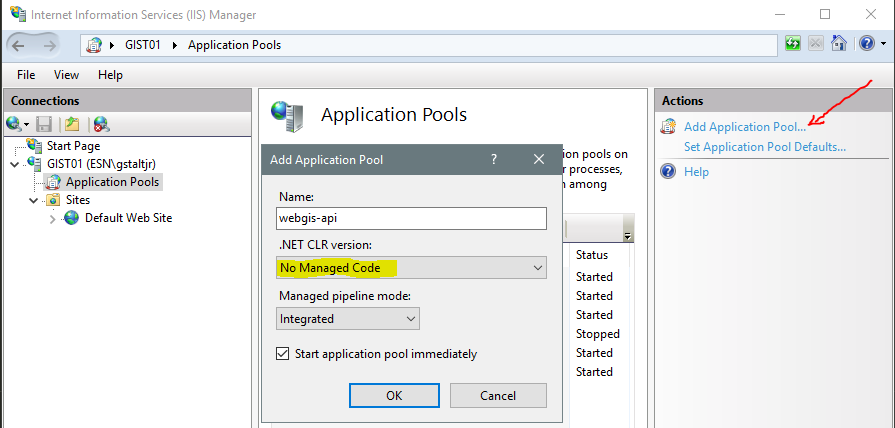
In the first step, application pools must be created for the individual web applications.
Note
One application pool must be created per application (WebGIS API and WebGIS Portal). It is not possible for both applications to share a pool.
For the WebGIS application, two application pools (webgis-api and webgis-portal) must be created with the following settings:
Before the actual applications are created in IIS, the configuration should be adjusted. To do this, open in the installation directory
the files webgis-api/_config/api.config and webgis-portal/_config/portal.config
If the two web applications should later be named webgis-api and webgis-portal, the configuration files must be adjusted as follows:
<!-- webgis-api/_config/api.config adjustments -->
<add key="api-url" value="https://my.server.com/webgis-api" />
<add key="portal-url" value="https://my.server.com/webgis-portal" />
<add key="portal-internal-url" value="http://localhost/webgis-portal" />
<!-- webgis-portal/_config/portal.config adjustments -->
<add key="api" value="https://my.server.com/webgis-api" />
<add key="api-internal-url" value="http://localhost/webgis-api" />
<add key="portal-url" value="https://my.server.com/webgis-portal" />
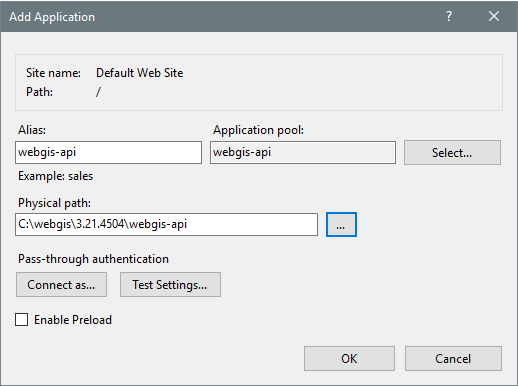
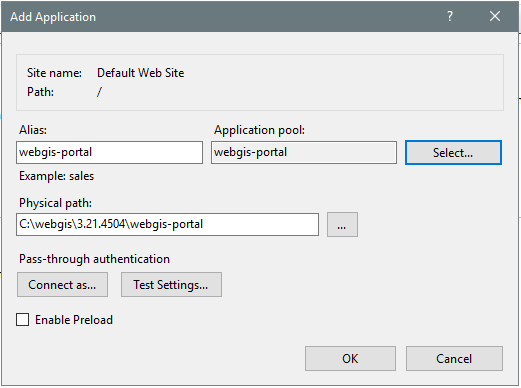
The two applications can be created with Add Application (e.g. on the Default Web Site).
For each application, the corresponding ApplicationPool must be specified and the correct directory in the file system must be selected:
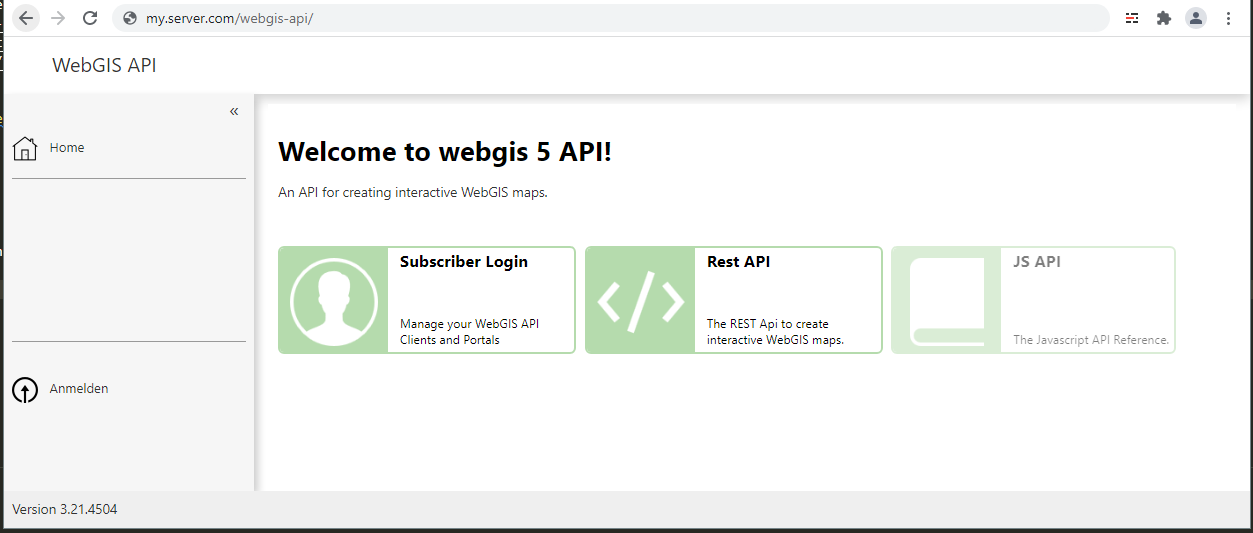
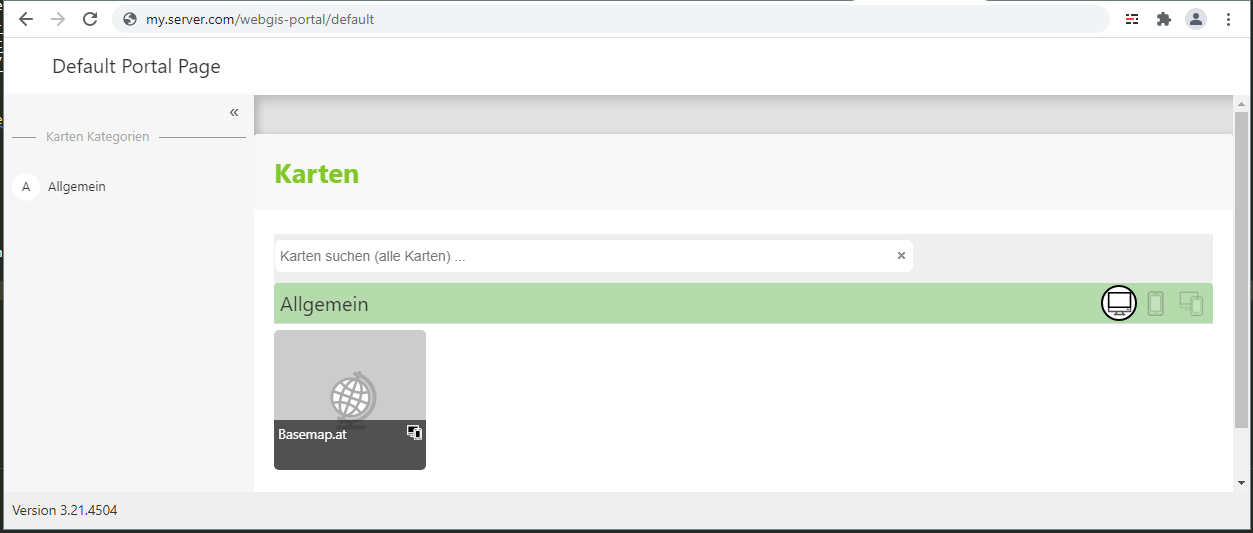
After that, the applications should be reachable:
Permissions
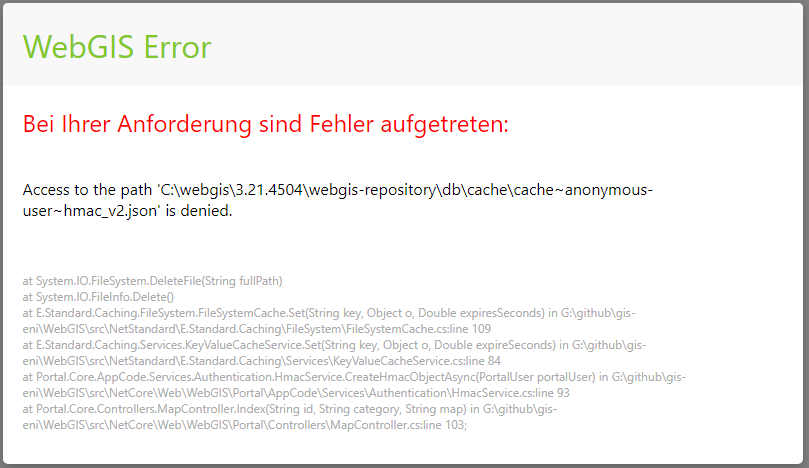
The WebGIS web applications need read and write access to the webgis-repository directory. A user that ensures this must be used for the application pool.
The IIS default user ApplicationPoolIdentity usually does not have this right. If the web application has insufficient (write) permissions, calling up a map results, for example, in the following
error message:
Warning
For test purposes, the application pool user LocalSystem can be used. This usually has access to all directories. In production environments, however, this is not advisable.
Here, a user should be used (created) that has only exactly the permissions that are absolutely necessary.