Prerequisite
This document describes how maps created for a portal page can be called with parameterized URLs. The prerequisite is that a portal page exists that contains maps.
Maps are organized within a portal page into map collections. Each map has a name and is assigned to a category:
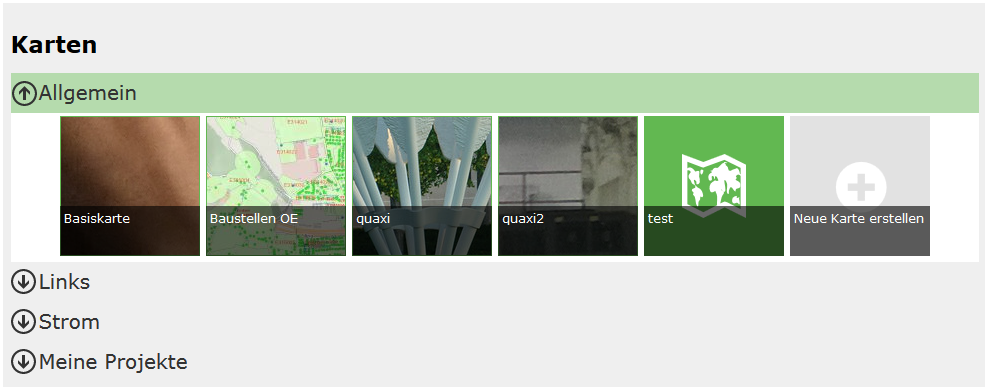
Calling a Map and URL Components
A map is always called via the following URL structure:
https://{Host}/{Portal-Application}/{Portal-Page}/{Category}/{Map-Name}
Explanation of the URL Components
Component |
Description |
|---|---|
|
The server on which the portal application is installed. |
|
The name of the portal application in IIS. |
|
The URL of the portal page, as defined by the subscriber/creator. |
|
The category in which the map is located. |
|
The name of the map. |
Caution
If the map name or the category contains special characters, these must be encoded for display in the URL.
Spaces can be specified either with %20 or – for better readability – with a tilde (~), e.g.:
Planning~and~Cadastre.
Example Call of a Base Map
To call the base map directly, the URL is:
https://{host}/{portal-application}/{portal-page}/Allgemein/Basiskarte