Publishing an App
Once all parameters have been entered for an app template and the preview matches expectations, the app can be published with the
sidebar button Publish App.
Publishing shows this app on the portal page (unless it is defined as invisible), or it can be called via the corresponding URL.
Clicking the Publish App button shows the following dialog, analogous to the MapBuilder:
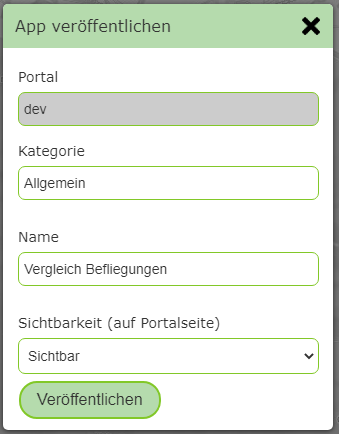
Here, a category and a name can be specified for this app. Visibility determines whether the app is shown as a tile on the portal page.
If hidden is specified here, it is not visible to a user and can only be called via a link. This makes sense, for example, if the app
is called from the map viewer via a custom tool or a hotlink.