App Template: Redirect App
Probably the simplest app is the template found under WebGIS-Redirect. This template is used to redirect a user to a specific website.
For this app, exactly one parameter, Redirect Url, can be specified:
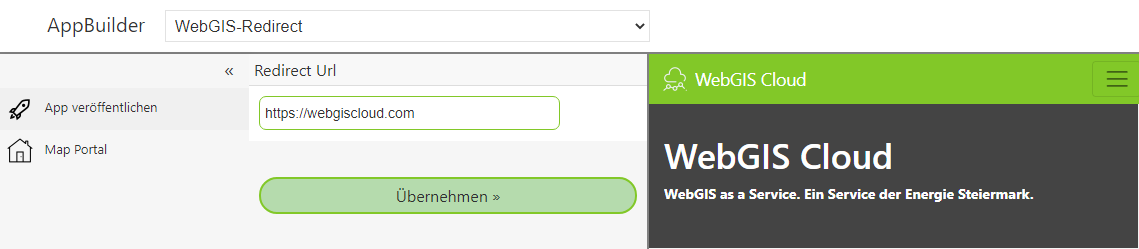
Under Redirect Url, the URL to redirect to is specified. Clicking Apply afterwards shows the
page in the preview in an IFrame.
If you publish this app, a tile appears on the portal page under the corresponding category. If the user clicks on this tile, they are redirected to the website specified here.
With this app, it is possible to jump to any website via the portal page. This means, for example, DataLinq pages can also be offered on the portal page like a map.
Note
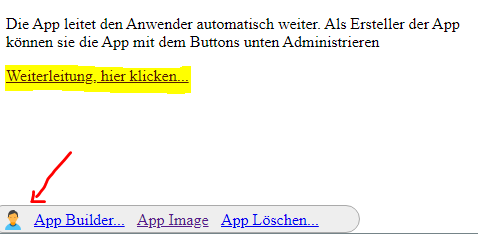
The app immediately redirects users to the desired page. This does not apply to the creator of this app. The creator stays on an intermediate page and must trigger the redirect by clicking. The reason is that administration of this app can only be done via this intermediate page: